

Contents
- ArtCraft—the Adobe and Microsoft Killer? An Initial Hands-On Test and Many Unanswered Questions
- My First Hands-On Test: PhotoCraft, FilmCraft, and PdfCraft
- PhotoCraft: Surprisingly Familiar, but Still a Long Way from the Latest Version of Photoshop
- In terms of functionality, PhotoCraft currently reminds me more of Photoshop 2020.
- Who Can Benefit from PhotoCraft Right Now?
- How does this AI-powered reverse engineering actually work?
- Is it really possible to replicate Photoshop through automated testing?
- An impressive technical demonstration is not yet a fully developed product
- What’s Really Behind ArtCraft?
- A genuine open-source project or a cleverly orchestrated strategy?
- The real target of the attack may not even be Adobe
- My conclusion: Exciting, impressive, but not yet an Adobe killer
ArtCraft—the Adobe and Microsoft Killer? An Initial Hands-On Test and Many Unanswered Questions
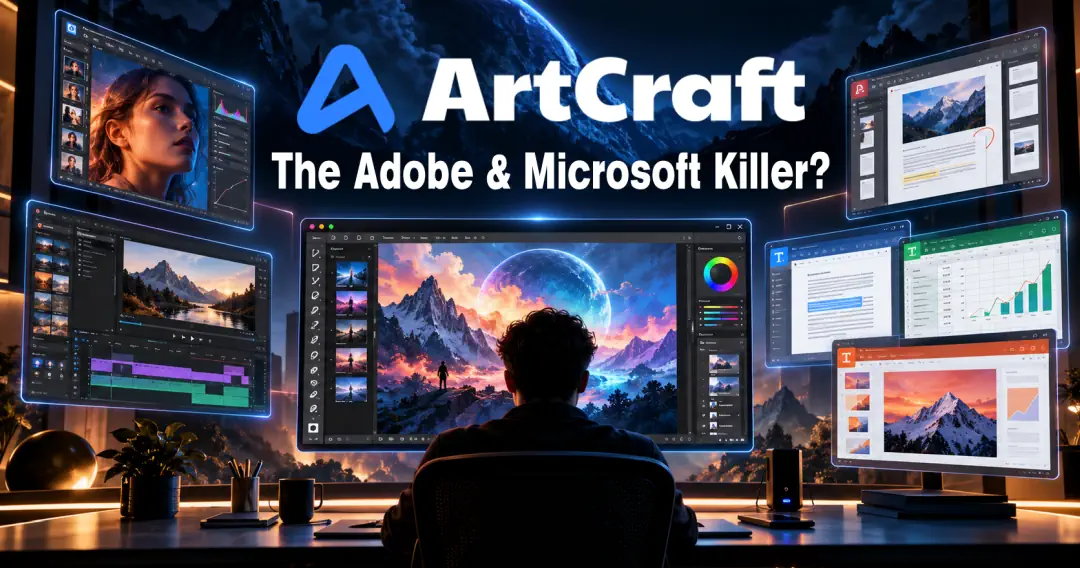
Is ArtCraft actually poised to undercut Adobe and Microsoft, or are we simply witnessing a massive AI hype that will ultimately prove far less revolutionary than it initially seems? This question is currently on the minds of large segments of the creative and software communities. In a very short time, a project has stepped into the spotlight that promises nothing less than to replicate some of the best-known and most powerful programs in the software world with AI support—for free, as open source, and across platforms.
As someone who has been working semi-professionally with Adobe Photoshop for nearly 30 years, I naturally had to take a closer look at this. Not least because Photoshop is actually one of the few programs that still ties me to Windows today. If it weren’t for my dependence on Photoshop and a few other applications, I probably would have switched completely to Linux long ago.
The idea of finally getting a serious Photoshop alternative that runs on Linux while still offering me my usual workflows is, understandably, very appealing to me. However, over the past few decades, I’ve seen many supposed “Photoshop killers” come and go. So I approached ArtCraft with curiosity, but also with skepticism.
My First Hands-On Test: PhotoCraft, FilmCraft, and PdfCraft
I started by taking a look at three programs from the ArtCraft family: PhotoCraft as an alternative to Photoshop, FilmCraft as a counterpart to Adobe Premiere Pro, and PdfCraft as a potential replacement for Adobe Acrobat. I tested all three in version 0.7.0.
I should note right away that this is just a first-hand impression based on practical use and not a systematic functional test. I didn’t go through every single tool or explore every possible use case. Especially with software that’s still in such an early stage of development, it would therefore be premature to pass a final judgment at this point.
As expected, I spent most of my time with PhotoCraft, since my many years of experience with Photoshop allow me to best assess what the software is already capable of and where its limitations lie.
PhotoCraft: Surprisingly Familiar, but Still a Long Way from the Latest Version of Photoshop
The first thing you notice about PhotoCraft is the user interface. It’s not just similar to Photoshop—in many ways, it’s so closely modeled after the original that long-time Photoshop users can find their way around practically right away.
Some menu items have different names, some functions are located in slightly different places, and here and there the terminology still feels a bit unfamiliar. I can’t say whether this is partly due to translations or was intentionally implemented differently. In any case, I didn’t find these differences particularly bothersome. Anyone familiar with Photoshop will feel right at home in PhotoCraft surprisingly quickly.
And in my view, that’s one of the project’s greatest strengths. When switching to a different image-editing program, it’s not just the available features that matter. It’s at least as important how quickly you can find those features and whether you can maintain your usual workflows.
For me, this is exactly where many alternatives fall short—GIMP in particular. It may be technically powerful in many areas, but its user interface and underlying philosophy differ significantly from Photoshop in some respects. Anyone who has worked with Adobe for decades has to get used to a new system first, and that takes time and is frustrating.
PhotoCraft takes a completely different approach here. Instead of trying to reinvent the wheel, it aims to replicate the familiar Photoshop work environment as closely as possible. That may not be particularly original, but from a user’s perspective, it makes perfect sense.
In terms of functionality, PhotoCraft currently reminds me more of Photoshop 2020.
As far as the range of features is concerned, however, my assessment so far is significantly more reserved. My personal impression is that PhotoCraft is currently roughly on par with an older version of Photoshop—roughly speaking, Photoshop 2020. This is by no means a measured comparison of features, but rather my subjective assessment based on the tools I’ve tested so far.
Many classic image-editing features are already available or at least partially implemented. These include, among other things, working with layers, masks, adjustments, and various filters. For many everyday tasks, this may already be entirely sufficient.
The key difference, however, becomes apparent as soon as you compare PhotoCraft with a current version of Photoshop. Adobe has significantly advanced its software in recent years, particularly through intelligent selection tools, AI-powered image editing, and generative features.
It’s no longer just about removing distracting objects from an image or replacing a background. Entire image areas can be generated, expanded, and modified—sometimes with nothing more than a brief text description. Added to this are intelligent tools that run on the local computer and cloud-based AI features that are directly integrated into the Photoshop workflow.
Once you get used to these capabilities and adapt your workflow to them, you’ll hardly want to do without them. Especially when it comes to more complex retouching or elaborate photo montages, such features can save an enormous amount of time.
And this is precisely where I currently see PhotoCraft’s greatest weakness. There’s a huge difference between a successful recreation of classic Photoshop features and a full-fledged replacement for a modern, AI-powered Photoshop.
Who Can Benefit from PhotoCraft Right Now?
Despite these criticisms, I definitely see a target audience for whom PhotoCraft might already be of interest. Anyone who primarily does traditional image editing, corrects photos, creates simple montages, or works with layers and masks should definitely check out the program.
It should be particularly interesting for users who have been using GIMP or Corel PHOTO-PAINT, or who have been sticking with an old version of Photoshop without a subscription for years. For these users, PhotoCraft could become a very attractive alternative in the medium term. The fact that it’s free, open-source, and also available on Linux makes it even more appealing.
For professional and semi-professional users whose workflows are geared toward the capabilities of current Photoshop versions, however, I don’t currently see a fully-fledged replacement. Here, it’s not just the number of tools and a familiar interface that matter, but also reliability, performance, file compatibility, and the quality of the results.
Another point is long-term compatibility with existing projects. After all, just because a software program can open and save PSD files doesn’t mean that complex documents with numerous layers, smart objects, effects, and special settings will always be imported without any loss of data. Especially in a professional setting, this is not a minor issue but a fundamental requirement.
Perhaps a few things will change before version 1.0 is released. In any case, the pace of development is remarkable, and I certainly wouldn’t rule out the possibility that PhotoCraft might catch up faster in some areas than I currently expect. Nevertheless, based on my testing so far, my assessment remains clear: it’s interesting for hobbyists and certain classic tasks, but not yet a true alternative for demanding Photoshop workflows.
How does this AI-powered reverse engineering actually work?
I find the question of how these programs came to be at least as interesting as the programs themselves. In my opinion, the actual vision behind ArtCraft is almost even more spectacular than the software that has been produced so far.
According to the project’s description, these are so-called “clean-room” reimplementations. Put simply, this means that the programs are rewritten without using Adobe’s proprietary source code. Rust is used as the programming language, and AI coding agents are employed during development.
The underlying idea is easy to grasp at first glance. You examine how existing software behaves, what inputs it processes, and what results it produces. Based on this, a new implementation is developed that behaves as closely as possible to the original.
AI agents can significantly speed up this process. They can create test cases, vary inputs, compare results, generate source code, and then attempt to resolve any identified differences. Ideally, this process is repeated until the new implementation reliably passes the test cases under examination.
The principle is by no means new. Reverse engineering and recreating software based on its observable behavior have been around for decades. What’s new, above all, is the ability to automate large parts of this work using AI agents.
And this is precisely where my doubts begin.
Is it really possible to replicate Photoshop through automated testing?
I can certainly imagine that this method works well for relatively straightforward functions. Take, for example, a tone curve, certain mathematically defined filters, or basic operations within the layer system. Here, inputs and outputs can be compared relatively easily, and with a sufficient number of test cases, one can at least roughly reconstruct the underlying logic.
However, things get more difficult as soon as functions become more complex and must take into account numerous parameters, dependencies, or internal states. After all, a program doesn’t always behave based solely on a single input. Previous steps, document settings, color spaces, bit depths, layer structures, and other factors often play a role as well.
Even if a recreated filter produces virtually identical results across a thousand test images, this does not mean it will function the same way with a completely different combination of settings. With complex software, the number of possible combinations grows very rapidly to levels that can hardly be fully covered even with automated tests.
Furthermore, two implementations may produce identical results for simple examples, even though they operate completely differently internally. These differences may only become apparent with specific inputs, extreme image sizes, or the combination of multiple tools. Side effects and dependencies that were not considered at all in the original test cases are particularly problematic.
I imagine this is even more difficult with advanced features such as content-aware filling, complex selection methods, or the intelligent reconstruction of image regions. Such features are partly based on sophisticated algorithms or trained models. Their behavior cannot be easily reconstructed solely from the visible results.
Generative AI functions present an additional problem: the result is not always identical even with the same input. If a function is based on large, proprietary AI models or cloud services, it cannot simply be replicated by comparing enough inputs and outputs with one another.
Of course, PhotoCraft could instead integrate its own or freely available AI models. External AI services would also be a possibility. This might allow for comparable functionality, but not necessarily the same quality, speed, or integration as Adobe offers.
For me, therefore, the central question is not whether AI agents can replicate large parts of Photoshop. ArtCraft has already impressively demonstrated that they can be of considerable help in this regard. The much more exciting question is whether the final, particularly complex percentage of functionality can also be achieved with a reasonable amount of effort.
Because it is precisely this final percentage that often determines whether a piece of software is actually usable for professional users.
An impressive technical demonstration is not yet a fully developed product
Amid all the excitement, we shouldn’t overlook a fundamental difference: It’s one thing to develop a program in a short amount of time that looks and feels like Photoshop in many situations. It’s quite another to provide a professional application that remains reliable, stable, and consistently functional over the years.
The real effort in software development often lies not only in the initial implementation. It also lies in the countless edge cases, bug fixes, automated tests, performance optimization, and long-term maintenance of the code.
Especially with AI-generated code, I also have concerns about maintainability. When large amounts of code are generated in a very short time, someone still has to ensure that the architecture remains sound in the long term, that bugs don’t cause new problems elsewhere, and that the individual components work together seamlessly.
Rust is certainly an interesting choice and can offer advantages, particularly in terms of memory safety. However, the programming language alone guarantees neither error-free algorithms nor good software architecture. Even a program written entirely in Rust can produce incorrect results, corrupt files, or behave unexpectedly in certain situations.
To be fair, though, it must be said that open source also offers advantages here. The source code can be examined, improved, and tested by independent developers. If a sufficiently large and active community forms, this could well develop into a project to be taken seriously in the long run.
Whether this will actually succeed simply cannot be assessed after such a short time.
What’s Really Behind ArtCraft?
Aside from the technical questions, however, something else has been on my mind: What does the team behind ArtCraft actually hope to achieve?
Until recently, ArtCraft was known primarily as an AI tool for creating and editing images, videos, and 3D scenes. That was certainly interesting, but it wasn’t a project that suddenly had the entire creative community talking.
And now, practically overnight, ArtCraft has become the center of a discussion about whether large parts of the established software industry can be replicated using AI. Adobe isn’t the only one in the spotlight here. With WordCraft, GridCraft, and DeckCraft, there are now also projects modeled after Microsoft Word, Excel, and PowerPoint.
The scale of this endeavor is remarkable. It’s no longer just about developing an alternative to Photoshop, but about providing an entire family of complex applications—some of which have been maintained and further developed by large teams of developers for decades.
Officially, ArtCraft is pursuing a thoroughly appealing approach: free, open-source software, less dependence on proprietary platforms, and an alternative to the increasingly widespread subscription models. The development is to be funded, among other things, by paid AI services, while the actual desktop applications will remain free.
That’s a reasonable business model. Still, I wonder if this explanation tells the whole story.
A genuine open-source project or a cleverly orchestrated strategy?
Perhaps I’m being a little too suspicious here, and maybe my thoughts are completely off the mark. But when I see how quickly ArtCraft has suddenly garnered enormous attention, I can’t help but wonder whether the release of these numerous programs isn’t also a very deliberate PR strategy.
After all, the message is extremely media-friendly: A small team is using AI to recreate, in a very short time, programs that Adobe and Microsoft have spent decades and enormous resources developing. That’s a story that practically guarantees headlines on its own.
And that’s exactly why I wonder whether ArtCraft is really solely about developing serious competing products in the long term. Or could it also be about increasing the value and visibility of their own company as quickly as possible?
One possible consideration is that they’re speculating on eventually being acquired by a large corporation. For a corporation, the current quality of the programs might be less interesting than the technology behind them, the development team, or the attention the project generates.
Another, far more speculative question concerns potential legal disputes. If software is modeled extremely closely on well-known commercial products—not only functionally but also visually—issues regarding user interface protection, trademark rights, or other intellectual property rights could arise.
While reverse engineering is not inherently illegal, and an independently developed implementation does not automatically constitute copyright infringement, this does not mean that every form of nearly identical replication would be legally unproblematic. The outcome of a specific dispute would depend heavily on the details and the applicable legal system.
One might therefore even speculate whether a potential legal dispute could generate additional attention or eventually result in a settlement. However, there is currently no solid evidence to support the assumption that ArtCraft is deliberately working toward such a dispute. This is explicitly just a thought experiment and not an insinuation.
Perhaps the explanation is actually much simpler: A team wants to prove that AI-powered software development now makes things possible that would have been almost unimaginable just a few years ago. And perhaps the goal isn’t to completely replace Adobe or Microsoft, but to show how quickly new technologies can put pressure on their traditional business models.
That, too, would be remarkable in itself.
The real target of the attack may not even be Adobe
What I find particularly exciting about ArtCraft, therefore, is not so much the question of whether PhotoCraft can replace Photoshop tomorrow. What’s much more interesting is what long-term implications this type of software development could have.
If it actually succeeds in replicating complex applications with a fraction of the development effort required in the past, this could have significant consequences for the entire software industry. Not necessarily immediately for the large corporations, but possibly for small and medium-sized software manufacturers whose products are significantly less complex in terms of functionality.
After all, the greatest competitive advantage of established software often lies not just in individual features. It’s the combination of established workflows, file formats, user interfaces, ecosystems, and decades of development work. If AI helps overcome at least some of these hurdles much more quickly, entirely new competitors could emerge.
On the other hand, Adobe in particular demonstrates that development doesn’t stand still. While ArtCraft attempts to replicate existing features, Adobe is continuously working on new possibilities and integrating more and more AI technologies into its products.
This creates a race in which replicating today’s feature set may already be outdated by the time it’s largely completed. Whether ArtCraft can keep up here in the long term remains, for me, one of the key unanswered questions.
My conclusion: Exciting, impressive, but not yet an Adobe killer
I’ll definitely continue to follow ArtCraft’s development. The project is technically interesting, the pace of development so far is impressive, and the approach of making familiar professional applications available for free and across platforms is extremely appealing.
For me personally, the programs that are most interesting right now are those for which I only occasionally need Adobe products. PdfCraft, in particular, could prove to be a useful alternative if it reliably handles everyday PDF editing tasks. In this case, I’m much more willing to accept minor limitations than I am with Photoshop.
PhotoCraft, on the other hand, faces a much tougher challenge. I’ve been using Photoshop for too long, and I’ve tailored my workflow too closely to the capabilities of modern versions. A familiar user interface and a considerable range of classic features aren’t enough for me in this regard.
Before I even seriously consider replacing my Photoshop subscription with PhotoCraft, the project still has to deliver a great deal more—especially when it comes to advanced tools, AI features, compatibility, and reliability in daily use.
Perhaps ArtCraft will prove me wrong in the coming months. I’d actually be happy if it did, because a truly competitive Photoshop alternative on Linux would be a huge win for me personally.
As things stand today, however, I don’t yet see ArtCraft as an “Adobe or Microsoft killer,” but rather, above all, a fascinating experiment in what AI-powered software development has made possible—and where its limits lie.
It remains to be seen whether this will eventually become serious competition for the major software companies or whether the current hype will die down faster than many expect. In any case, one thing is clear to me: ArtCraft must now prove that it can not only replicate well-known programs at an impressively fast pace, but also use that as a foundation to develop software that is consistently reliable and competitive.
After all, what matters in the end isn’t how quickly a piece of software was written or how closely it resembles its model. What matters is whether I can use it to do my daily work at least as well, reliably, and efficiently.
And based on my impressions so far, PhotoCraft is still a long way from that.







Schreibe einen Kommentar